Every client call, properly minuted.
Upshot writes up what the client needs, what you agreed, what is still open, and who does what next.
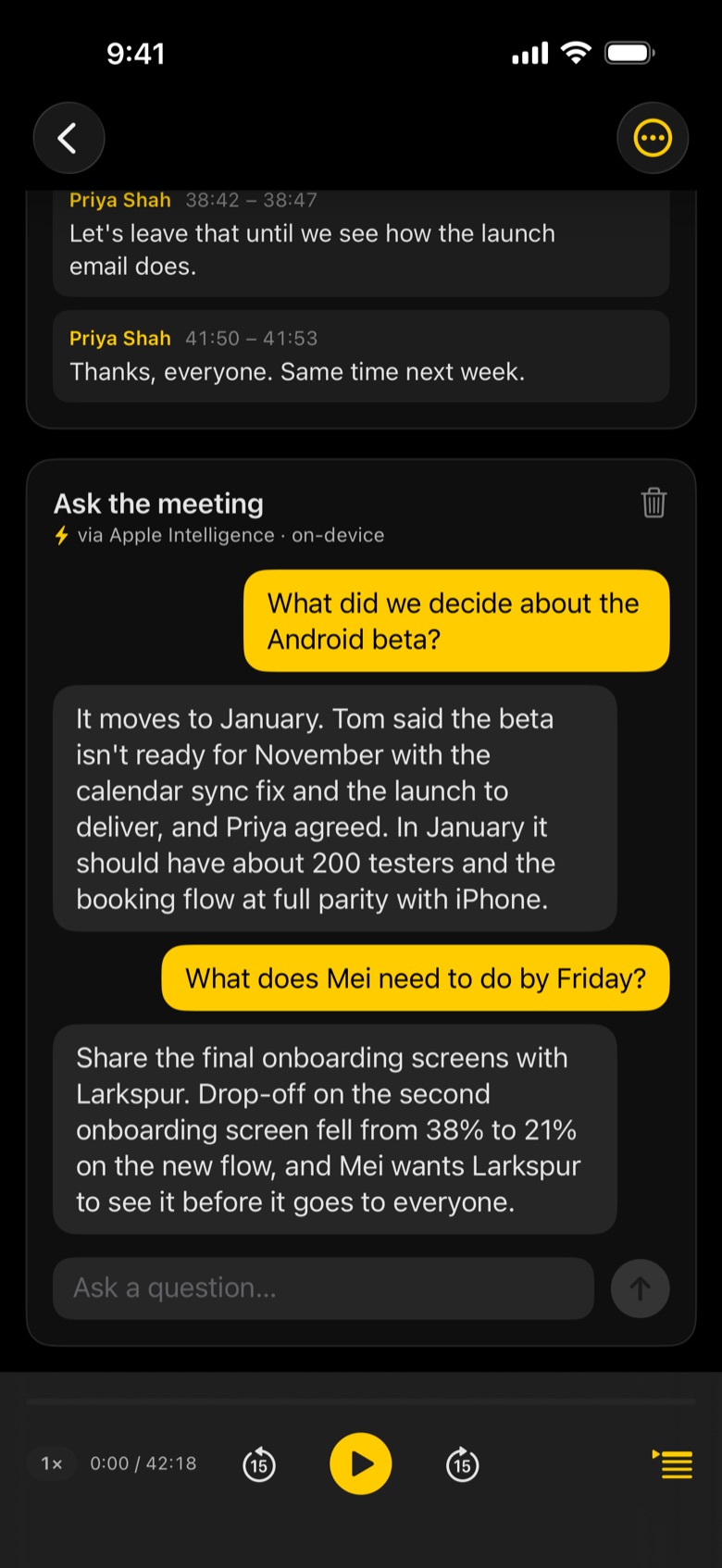
What Upshot captures on a client call
- Client needs in their own words
- Agreements and decisions
- Open questions to chase
- Actions with owners and dates
- Email minutes to the client in one tap
- Mac call recording for Teams, Zoom and Meet calls
Tap record
Start before the meeting does. Upshot keeps going with the screen locked.
Upshot writes it up
Transcript by speaker, then notes laid out for the meeting, minutes after it ends.
Share or ask
Email the minutes, export to Word, PDF or Markdown, or ask the meeting a question.
Recording calls on Mac? See Upshot for Mac.
Can I record Teams, Zoom or Meet calls?
On Mac, yes. With your permission Upshot records the audio your Mac plays as well as your microphone, so both sides are captured.
Should I tell the client I am recording?
Yes. Always tell people in a meeting that it is being recorded, and get their consent where the law requires it.
Where do the recordings go?
Recording, transcription and notes by Apple Intelligence happen on your device. Nothing leaves it unless you share it, turn on iCloud Sync, or connect your own AI with Upshot Basic.