Upshot for stand-ups
Stand-up notes as a board.
Upshot turns the daily stand-up into a board: what each person did, what is next, and what is blocking them.
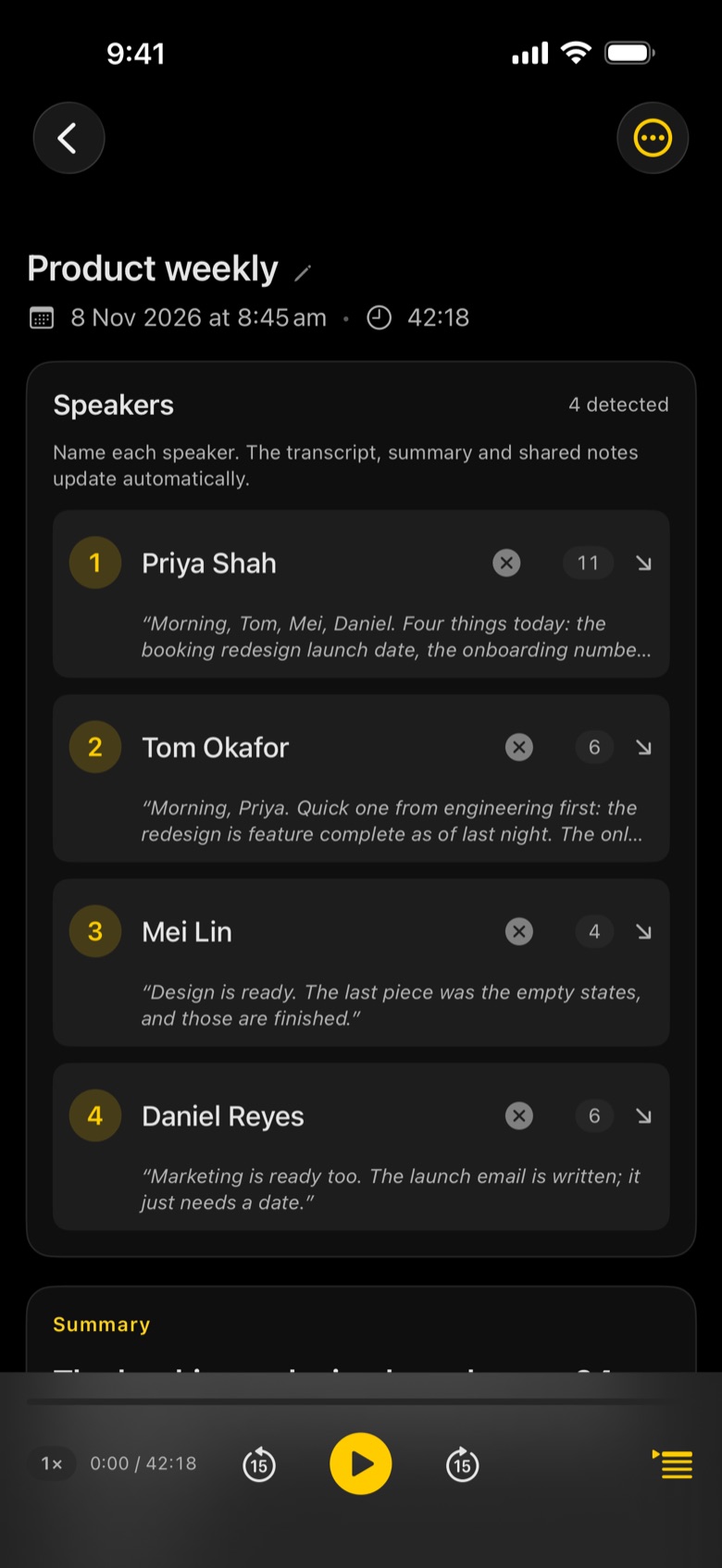
What Upshot captures in a stand-up
- Done, next and blockers for each person
- Remembers your team: name each voice once
- Blockers stand out so nothing waits until tomorrow
- Actions to Reminders in a tap
- Save notes automatically to a team folder as Markdown, Word or PDF
- Picked automatically: Upshot spots a stand-up and uses the board layout
01
Tap record
Start before the meeting does. Upshot keeps going with the screen locked.
02
Upshot writes it up
Transcript by speaker, then notes laid out for the meeting, minutes after it ends.
03
Share or ask
Email the minutes, export to Word, PDF or Markdown, or ask the meeting a question.
Questions
Does Upshot know it is a stand-up?
Usually, yes. Upshot picks the meeting type from the transcript, and you can change it on any meeting.
Will it know who is who every day?
Yes. Name each person once and Upshot recognises their voice in later meetings and suggests their name.
Where are the recordings kept?
Recording, transcription and notes by Apple Intelligence happen on your device. Nothing leaves it unless you share it, turn on iCloud Sync, or connect your own AI with Upshot Basic.